In today’s competitive job market, your resume is often the first impression you make on a recruiter. At Lynxperio, we regularly help job seekers create resumes that not only look professional but also perform well with recruiters and Applicant Tracking Systems (ATS). Understanding the latest Resume Design Trends Recruiters Love can significantly improve your chances of getting noticed and securing interviews.
Many candidates assume that a flashy resume filled with graphics and colors will attract attention. However, modern recruiters often prefer clean, organized, and ATS-friendly resumes that make information easy to find. The right design can highlight your skills, achievements, and experience while maintaining a professional appearance.
In this guide, you’ll learn the most effective resume design trends, formatting techniques, recruiter preferences, practical examples, and expert tips to create a resume that stands out for the right reasons.
Why Resume Design Matters
A well-designed resume does more than look attractive.
It helps recruiters:
- Find important information quickly
- Understand your qualifications
- Review achievements efficiently
- Navigate your experience easily
- Assess professionalism
Since recruiters often spend only a few seconds scanning a resume initially, design plays a crucial role in capturing attention.
At Lynxperio, resume specialists consistently find that clear formatting improves recruiter engagement and interview opportunities.
Resume Design Trends Recruiters Love in 2026
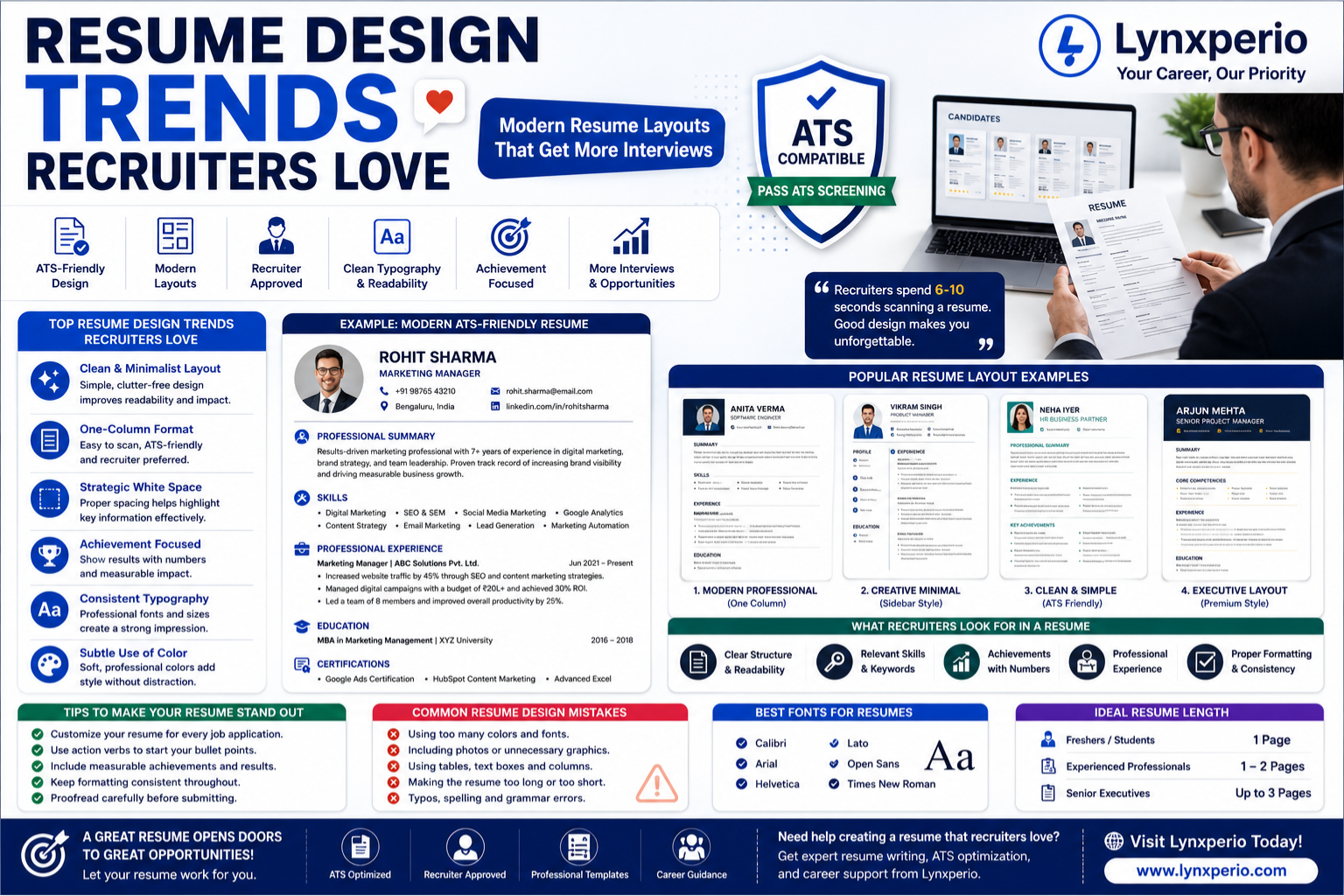
Clean and Minimalist Layouts
One of the biggest Resume Design Trends Recruiters Love is simplicity.
Modern resumes focus on:
- Clean spacing
- Professional fonts
- Organized sections
- Easy readability
Recruiters appreciate resumes that communicate information without distractions.
Why It Works
A minimalist design:
- Looks professional
- Improves readability
- Supports ATS compatibility
- Highlights achievements effectively
ATS-Friendly Resume Designs
Applicant Tracking Systems are used by many companies to screen resumes before human review.
ATS-friendly resumes include:
- Standard headings
- Simple formatting
- Keyword optimization
- Clear structure
Recommended Headings
- Professional Summary
- Skills
- Work Experience
- Education
- Certifications
At Lynxperio, ATS optimization is a major focus because even highly qualified candidates can be overlooked if their resumes are not ATS-compatible.
One-Column Resume Layouts
Many recruiters prefer one-column designs.
Benefits include:
- Better ATS performance
- Easy scanning
- Professional appearance
- Consistent formatting
Although two-column resumes can look attractive, one-column layouts remain the safest choice for most industries.
Achievement-Focused Resume Design
Modern resumes emphasize results instead of responsibilities.
Weak Example
Managed social media accounts.
Strong Example
Increased social media engagement by 45% within six months.
Recruiters are interested in measurable impact.
A well-designed resume highlights achievements through:
- Bullet points
- Metrics
- Action verbs
Strategic Use of White Space
Crowded resumes can overwhelm recruiters.
White space improves:
- Readability
- Visual balance
- Information hierarchy
Modern resume templates intentionally use spacing to guide readers through key sections.
Professional Fonts Recruiters Prefer
Font choice affects readability and professionalism.
Best Fonts
- Calibri
- Arial
- Helvetica
- Times New Roman
Recommended Sizes
- Headings: 14–16 pt
- Body text: 11–12 pt
Avoid decorative or difficult-to-read fonts.
Resume Design Trends Recruiters Love for Different Career Levels
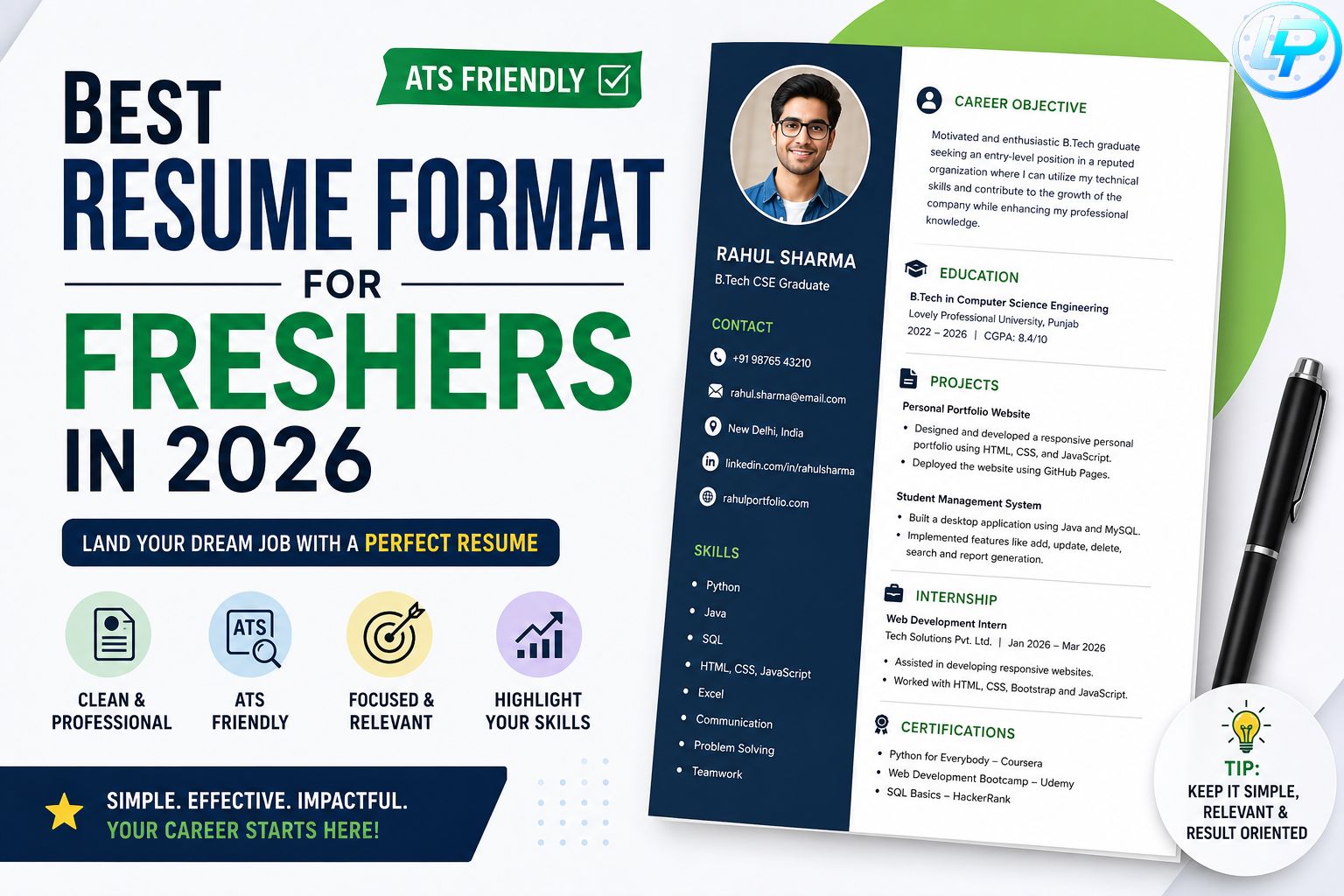
Freshers and Students
Focus on:
- Education
- Skills
- Certifications
- Academic projects
Simple and clean templates work best.
Mid-Level Professionals
Highlight:
- Experience
- Achievements
- Technical expertise
- Leadership skills
Use professional layouts with strong section organization.
Senior Professionals and Executives
Executive resumes should emphasize:
- Strategic leadership
- Revenue growth
- Team management
- Business impact
Executive templates often feature sophisticated but clean formatting.
Modern Resume Sections Recruiters Expect
Contact Information
Include:
- Full Name
- Phone Number
- Email Address
- LinkedIn Profile
- Location
Keep this section simple.
Professional Summary
A strong summary immediately communicates value.
Example:
“Results-driven marketing professional with 8+ years of experience driving digital growth and leading high-performing teams.”
Skills Section
Include:
Technical Skills
- Excel
- SQL
- Power BI
- Python
Soft Skills
- Communication
- Leadership
- Problem Solving
Experience Section
This should be the largest section for experienced professionals.
Focus on:
- Results
- Achievements
- Promotions
- Responsibilities
Resume Color Trends Recruiters Approve
Many job seekers wonder whether resumes should include color.
Acceptable Colors
- Navy Blue
- Dark Gray
- Subtle Professional Blue
Avoid
- Neon colors
- Excessive gradients
- Bright backgrounds
Professional color accents can improve appearance without affecting ATS compatibility.
Best Resume Templates Recruiters Love
Reverse Chronological Format
The most accepted format globally.
Benefits:
- Easy to understand
- Highlights career progression
- ATS-friendly
Modern Professional Template
Suitable for:
- Marketing
- Finance
- HR
- Operations
Executive Resume Template
Ideal for:
- Directors
- Managers
- Executives
Simple ATS-Friendly Template
Recommended for most applicants.
Tips for Creating a Recruiter-Friendly Resume
Customize Every Application
Review job descriptions carefully.
Match:
- Skills
- Keywords
- Experience
to employer requirements.
Use Action Verbs
Examples:
- Led
- Developed
- Increased
- Implemented
- Managed
Quantify Achievements
Numbers make accomplishments more credible.
Example:
“Increased sales revenue by 32%.”
Keep Length Appropriate
Freshers:
- 1 page
Experienced professionals:
- 1–2 pages
Executives:
- Up to 3 pages if necessary
At https://lynxperio.com/, resume consultants recommend focusing on relevance rather than length.
Common Resume Design Mistakes
Using Too Many Graphics
Graphics may look attractive but can create ATS issues.
Overusing Colors
Too many colors can appear unprofessional.
Crowded Layouts
Avoid cramming information into every available space.
Inconsistent Formatting
Maintain consistency throughout:
- Fonts
- Headings
- Bullet points
- Dates
Ignoring Mobile Readability
Many recruiters review resumes on mobile devices.
Simple layouts perform better.
How Recruiters Actually Scan Resumes
Recruiters often look at:
- Name and Contact Information
- Professional Summary
- Recent Experience
- Skills
- Education
This process may take less than ten seconds initially.
Effective resume design supports this scanning behavior.
Semantic SEO Keywords Related to Resume Design
Common related search terms include:
- Professional resume template
- ATS-friendly resume
- Resume layout ideas
- Modern resume design
- Resume formatting tips
- Job-winning resume
- Executive resume format
- Resume writing guide
- Resume examples
- Professional CV template
These semantic keywords naturally strengthen SEO relevance.
FAQs About Resume Design Trends Recruiters Love
What are the most important Resume Design Trends Recruiters Love?
Clean layouts, ATS-friendly formatting, achievement-focused content, and professional typography are among the most important trends.
Do recruiters like colorful resumes?
Subtle colors can work well, but excessive color usage should be avoided.
Are ATS-friendly resumes necessary?
Yes. Many companies use Applicant Tracking Systems during the hiring process.
What resume format do recruiters prefer?
The reverse chronological format remains the most widely preferred option.
Should I use graphics on my resume?
Generally, no. Most recruiters and ATS systems prefer clean and simple layouts.
How long should a professional resume be?
One to two pages is ideal for most professionals
Conclusion
Understanding Resume Design Trends Recruiters Love can significantly improve your chances of making a positive first impression. Modern recruiters value clarity, readability, ATS compatibility, and achievement-focused content more than flashy designs.
By using clean layouts, professional fonts, measurable accomplishments, and ATS-friendly formatting, you can create a resume that effectively showcases your qualifications and career potential.
If you’re looking for expert resume writing, ATS optimization, interview preparation, and career development support, explore Lynxperio today. Lynxperio helps students, freshers, and professionals build powerful resumes that attract recruiters, pass ATS screenings, and open doors to better career opportunities.