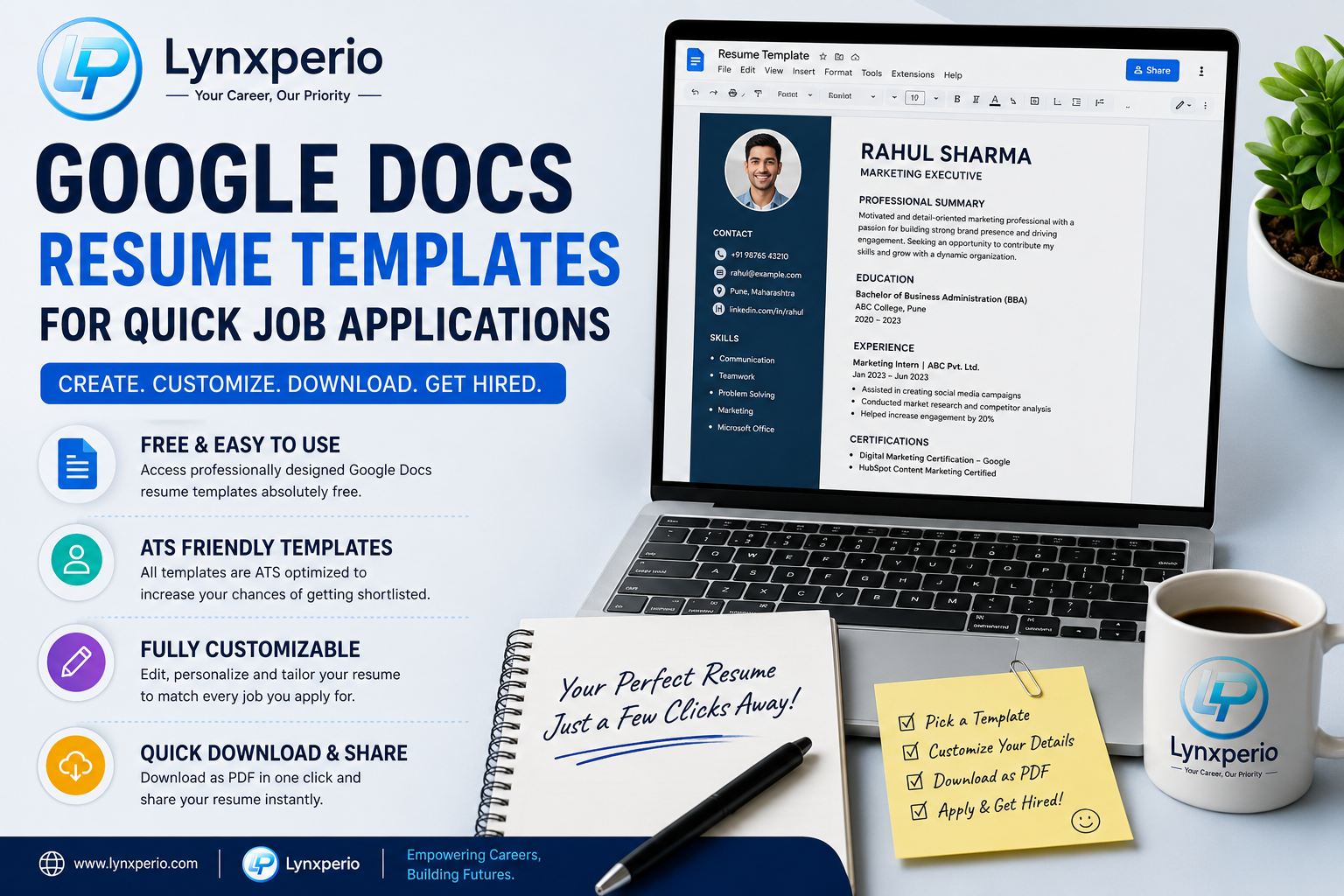
Finding the right job often starts with creating a professional resume quickly and efficiently. At Lynxperio, we understand that many students, freshers, and professionals struggle with designing resumes from scratch. That’s why Google Docs resume templates for quick job applications have become one of the most popular solutions for modern job seekers.
Google Docs offers free, easy-to-use, and professional resume templates that help candidates create impressive resumes within minutes. Whether you are applying for internships, entry-level jobs, remote work, or corporate positions, these templates can save time while maintaining a polished and ATS-friendly layout.
In this detailed guide, you’ll learn everything about Google Docs resume templates, including their benefits, best templates to use, customization tips, common mistakes to avoid, and practical advice to improve your chances of getting shortlisted.
Why Google Docs Resume Templates Are Popular
Creating a resume from zero can feel stressful, especially when applying for multiple jobs quickly. This is where Google Docs resume templates for quick job applications become extremely useful.
These templates are designed to simplify resume building while maintaining a professional appearance.
Main Benefits of Google Docs Resume Templates
- Free to use
- Easy to edit
- Professional layouts
- Cloud-based access
- ATS-friendly formatting
- Quick sharing options
- Mobile and desktop compatibility
Unlike complicated design software, Google Docs allows users to focus on content rather than formatting issues.
At Lynxperio, career experts often recommend Google Docs templates to freshers because they are beginner-friendly and highly practical.
What Are Google Docs Resume Templates?
Google Docs resume templates are pre-designed resume layouts available inside Google Docs. Users can edit these templates by adding their personal details, education, skills, experience, and achievements.
These templates help job seekers create clean and professional resumes without advanced design skills.
Popular Resume Template Styles Include:
- Modern resume templates
- Minimal resume layouts
- Creative resume designs
- Professional corporate resumes
- Student resume templates
- ATS-friendly resume formats
Most employers prefer simple and organized resumes over overly designed documents.
How to Access Google Docs Resume Templates
If you are new to Google Docs, accessing resume templates is simple.
Step 1: Open Google Docs
Visit:
Google Docs
Step 2: Open Template Gallery
Click on “Template Gallery” at the top-right corner.
Step 3: Select a Resume Template
You’ll find multiple professional templates such as:
- Swiss
- Serif
- Coral
- Spearmint
- Modern Writer
Choose the one that matches your industry and experience level.
Step 4: Customize the Template
Replace the sample content with your own information.
Step 5: Download as PDF
Always save your final resume in PDF format before sending job applications.
Best Google Docs Resume Templates for Quick Job Applications
Choosing the right template can improve readability and professionalism.
1. Swiss Resume Template
The Swiss template is clean, modern, and professional.
Best For:
- Freshers
- Students
- Corporate jobs
- Entry-level positions
It uses a simple two-column layout that recruiters can scan easily.
2. Serif Resume Template
This template uses elegant typography with a traditional style.
Best For:
- Business roles
- Administrative jobs
- Professional applications
It creates a polished and formal impression.
3. Coral Resume Template
Coral adds a touch of creativity while remaining professional.
Best For:
- Designers
- Marketing professionals
- Creative industries
However, avoid excessive customization that could reduce ATS compatibility.
4. Spearmint Resume Template
Spearmint offers a balanced modern design with clean formatting.
Best For:
- Internship applications
- College students
- Fresh graduates
It works especially well for candidates with limited experience.
At Lynxperio, resume advisors often suggest simple layouts because recruiters prefer clarity over complex graphics.
Why ATS-Friendly Resume Templates Matter
Many companies use ATS (Applicant Tracking Systems) to scan resumes before human recruiters review them.
Using ATS-friendly Google Docs resume templates for quick job applications improves your chances of passing these systems.
ATS-Friendly Features Include:
- Clear headings
- Simple fonts
- Proper spacing
- Minimal graphics
- Organized sections
Avoid templates with:
- Heavy icons
- Complex tables
- Excessive colors
- Unreadable fonts
Simple formatting performs better in automated systems.
Important Sections to Include in Your Resume
Even the best template won’t help if your content is weak.
Make sure your resume includes these sections:
1. Contact Information
Include:
- Full Name
- Phone Number
- Professional Email
- LinkedIn Profile
- Location
Example:
Rahul Sharma
rahulsharma@email.com
Pune, Maharashtra
2. Professional Summary
Write a short introduction highlighting your strengths.
Example:
Motivated and detail-oriented graduate seeking an opportunity to apply communication and analytical skills in a professional environment.
3. Education
Mention:
- Degree
- College Name
- Passing Year
- Percentage or CGPA
4. Skills Section
Include both technical and soft skills.
Technical Skills:
- MS Excel
- Google Workspace
- HTML/CSS
- Canva
- Data Analysis
Soft Skills:
- Communication
- Teamwork
- Problem-solving
- Time management
5. Internship or Work Experience
Mention:
- Company name
- Role
- Responsibilities
- Achievements
Example:
Digital Marketing Intern – ABC Agency
- Assisted in social media campaigns
- Improved audience engagement
- Conducted market research
6. Certifications
Examples:
- Digital Marketing Certification
- UI/UX Design Course
- Google Analytics Certification
- Python Programming Course
7. Achievements
This section adds personality to your resume.
Include:
- Competition wins
- Volunteer work
- Leadership roles
- Event management
Best Tips for Using Google Docs Resume Templates
Learning how to use Google Docs resume templates for quick job applications effectively can make a big difference.
Keep the Resume One Page
Freshers and students should ideally maintain a one-page resume.
Recruiters prefer concise resumes.
Customize for Every Job
Do not send the same resume everywhere.
Tailor:
- Skills
- Keywords
- Summary
- Achievements
according to the job description.
Use Keywords Naturally
Include role-specific keywords such as:
- Customer service
- Project management
- Communication skills
- Digital marketing
- Data entry
This helps improve ATS ranking.
Use Professional Fonts
Recommended fonts:
- Arial
- Calibri
- Helvetica
- Times New Roman
Font Size:
- Headings: 14–16
- Body text: 11–12
Proofread Carefully
Grammar mistakes reduce professionalism.
Always check:
- Spelling
- Formatting
- Alignment
- Dates
- Contact information
At Lynxperio, candidates are encouraged to review resumes multiple times before submitting applications.
Common Mistakes to Avoid
Many job seekers unknowingly make resume mistakes that hurt their chances.
Using Overly Creative Designs
Too many graphics can confuse ATS software.
Stick with clean and simple templates.
Adding Irrelevant Information
Avoid unnecessary details such as:
- Religion
- Marital status
- Height
- Weight
Focus only on job-relevant content.
Using Unprofessional Email IDs
Bad Example:
Good Example:
Writing Long Paragraphs
Use bullet points instead of large text blocks.
Short content improves readability.
Ignoring Mobile Formatting
Many recruiters review resumes on phones.
Always test formatting on both mobile and desktop devices.
How Freshers Can Benefit From Google Docs Resume Templates
Freshers often struggle with resume creation because they lack professional experience.
Google Docs resume templates for quick job applications make resume building much easier by providing ready-made structures.
Freshers should focus on:
- Academic projects
- Certifications
- Internships
- Skills
- Extracurricular activities
Example for Freshers:
Developed a responsive website project using HTML and CSS during final-year coursework.
This demonstrates initiative and practical knowledge.
At Lynxperio, many students receive resume guidance designed specifically for freshers and entry-level candidates.
Semantic SEO Keywords Related to Resume Templates
While researching resumes online, you may also come across related terms like:
- Professional resume templates
- ATS-friendly resume format
- Resume builder for freshers
- Resume templates in Google Docs
- Modern resume design
- One-page resume template
- Free resume templates
- Student resume format
- Job application resume
- Resume examples for freshers
These semantic keywords help improve search visibility naturally.
FAQs About Google Docs Resume Templates for Quick Job Applications
Are Google Docs resume templates free?
Yes. Google Docs provides free resume templates for all users with a Google account.
Are Google Docs resume templates ATS-friendly?
Most Google Docs resume templates are ATS-friendly because they use simple formatting and clean layouts.
Which Google Docs resume template is best for freshers?
Templates like Swiss and Spearmint are excellent choices for freshers because they are clean and professional.
Can I edit Google Docs resume templates on mobile?
Yes. Google Docs templates can be edited on both desktop and mobile devices.
Should I download my resume as PDF?
Yes. PDF format preserves formatting and looks more professional during job applications.
How many pages should a fresher resume be?
Freshers should ideally keep resumes limited to one page unless they have extensive internships or projects.
Conclusion
Using Google Docs resume templates for quick job applications is one of the easiest and smartest ways to create professional resumes efficiently. These templates save time, improve formatting, and help candidates present their qualifications clearly.
Whether you are a fresher, student, or experienced professional, a clean and ATS-friendly resume can significantly improve your interview opportunities. Focus on relevant skills, achievements, professional formatting, and customized content to stand out from other applicants.
Remember, recruiters value clarity, professionalism, and relevance more than flashy designs.
If you want expert support for resume writing, career preparation, interview guidance, and professional growth, explore Lynxperio today. Lynxperio helps students, freshers, and professionals build stronger careers with practical resume solutions and career-focused guidance.
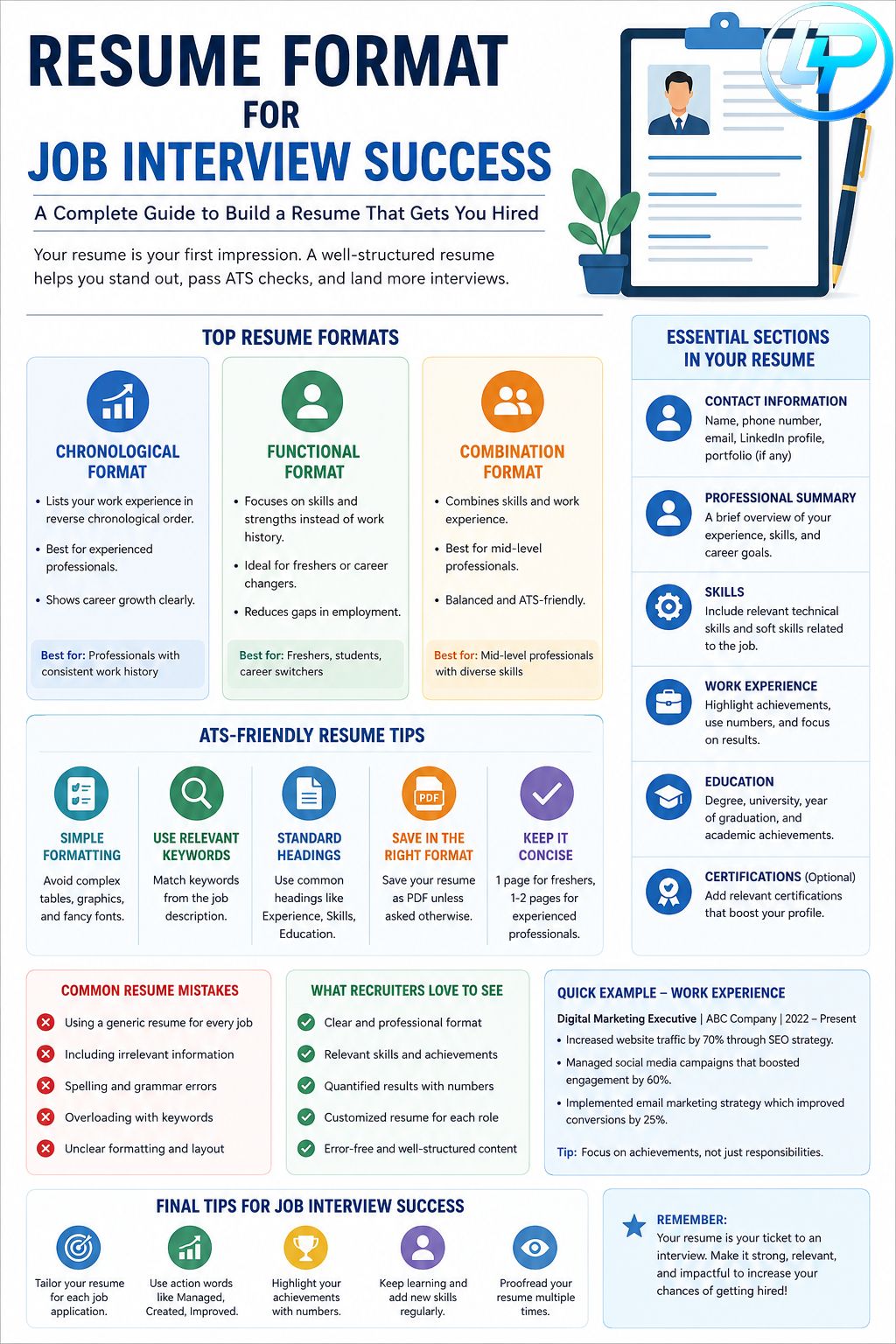
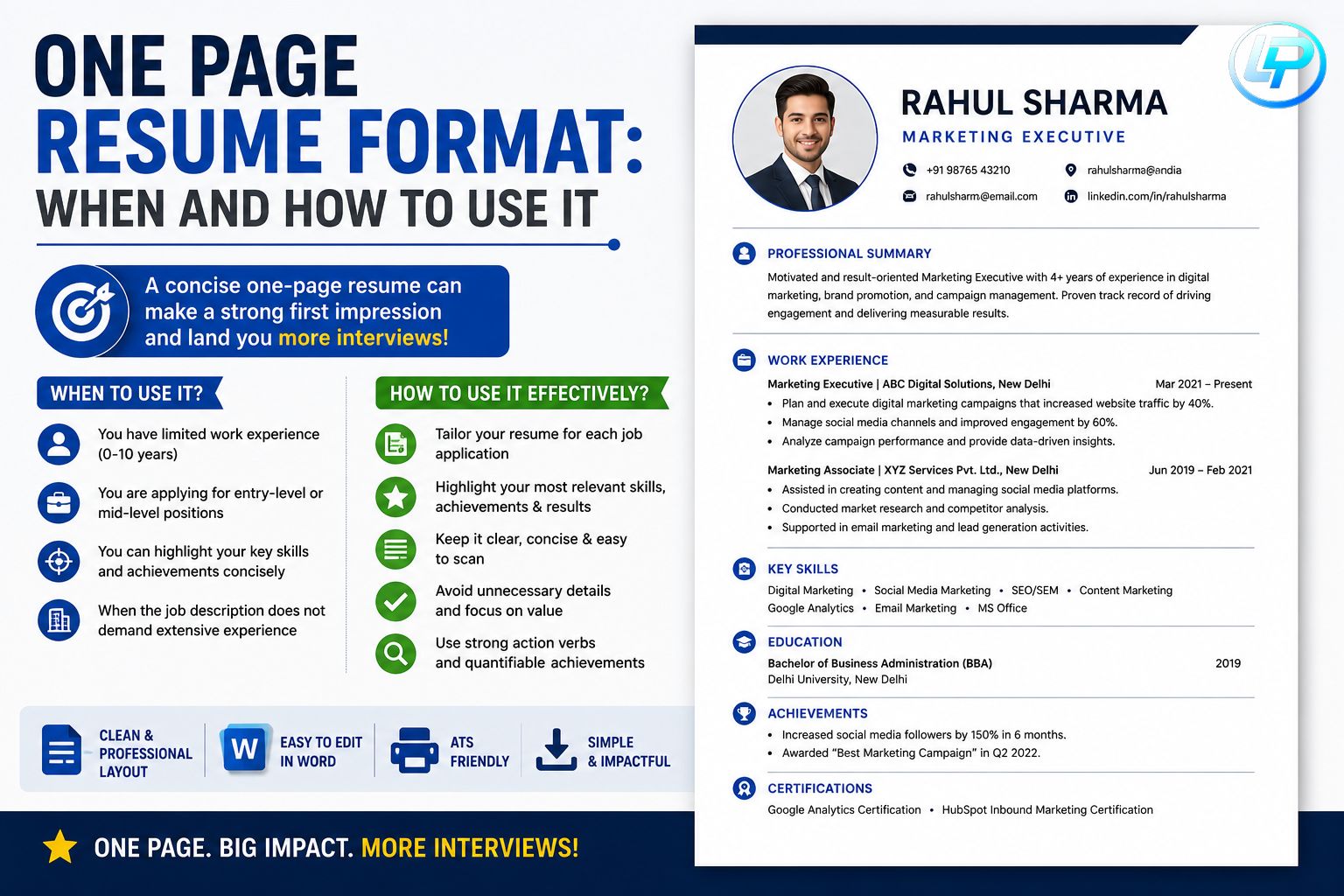
One thing that stood out is the focus on ATS-friendly formatting, since a clean layout can make a big difference in getting past initial screenings. Beyond choosing a template, it’s also worth tailoring keywords to each job description and adding measurable achievements where possible, as that can help recruiters quickly see the impact of your experience.