Creating a resume that grabs attention quickly is one of the biggest challenges job seekers face today. At Lynxperio, we’ve noticed that recruiters often spend only a few seconds scanning resumes before deciding whether to continue reading. That’s why understanding the one page resume format: when and how to use it can significantly improve your job application success.
A one-page resume is clean, concise, and easy to scan. It helps candidates present their qualifications clearly without overwhelming recruiters with unnecessary details. Whether you are a fresher, student, recent graduate, or experienced professional, knowing how to structure a one-page resume properly can make a strong first impression.
In this complete guide, you’ll learn when to use a one-page resume, how to format it professionally, what sections to include, common mistakes to avoid, and practical tips to make your resume stand out.
What Is a One Page Resume?
A one-page resume is a professional resume limited to a single page. It includes only the most relevant details related to your skills, education, experience, certifications, and achievements.
Unlike lengthy resumes, a one-page format focuses on:
- Clarity
- Readability
- Relevant information
- ATS compatibility
- Professional presentation
Most recruiters prefer concise resumes because they save time during the hiring process.
At Lynxperio, career advisors often recommend one-page resumes for freshers and professionals with less than 10 years of experience.
Why One Page Resumes Are Popular
Recruiters review hundreds of applications every week. Long resumes can feel overwhelming and difficult to scan quickly.
That’s why the one page resume format: when and how to use it has become increasingly important in modern hiring.
Main Benefits of a One Page Resume
- Easy to read
- ATS-friendly
- Professional appearance
- Faster recruiter scanning
- Better focus on key achievements
- Reduced unnecessary information
A concise resume highlights your strengths more effectively.
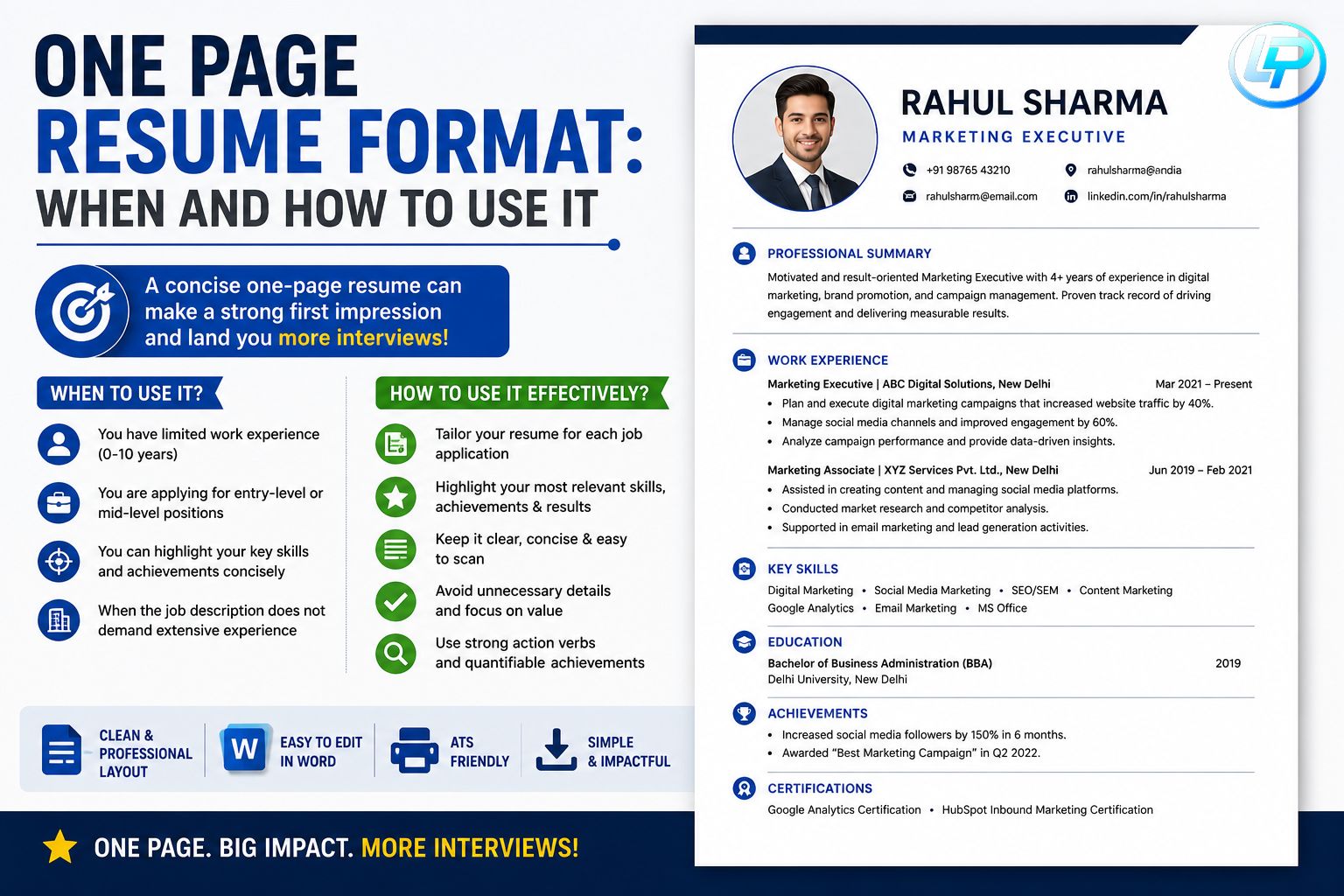
When Should You Use a One Page Resume?
Not every candidate needs a multi-page resume.
A one-page resume works best in the following situations:
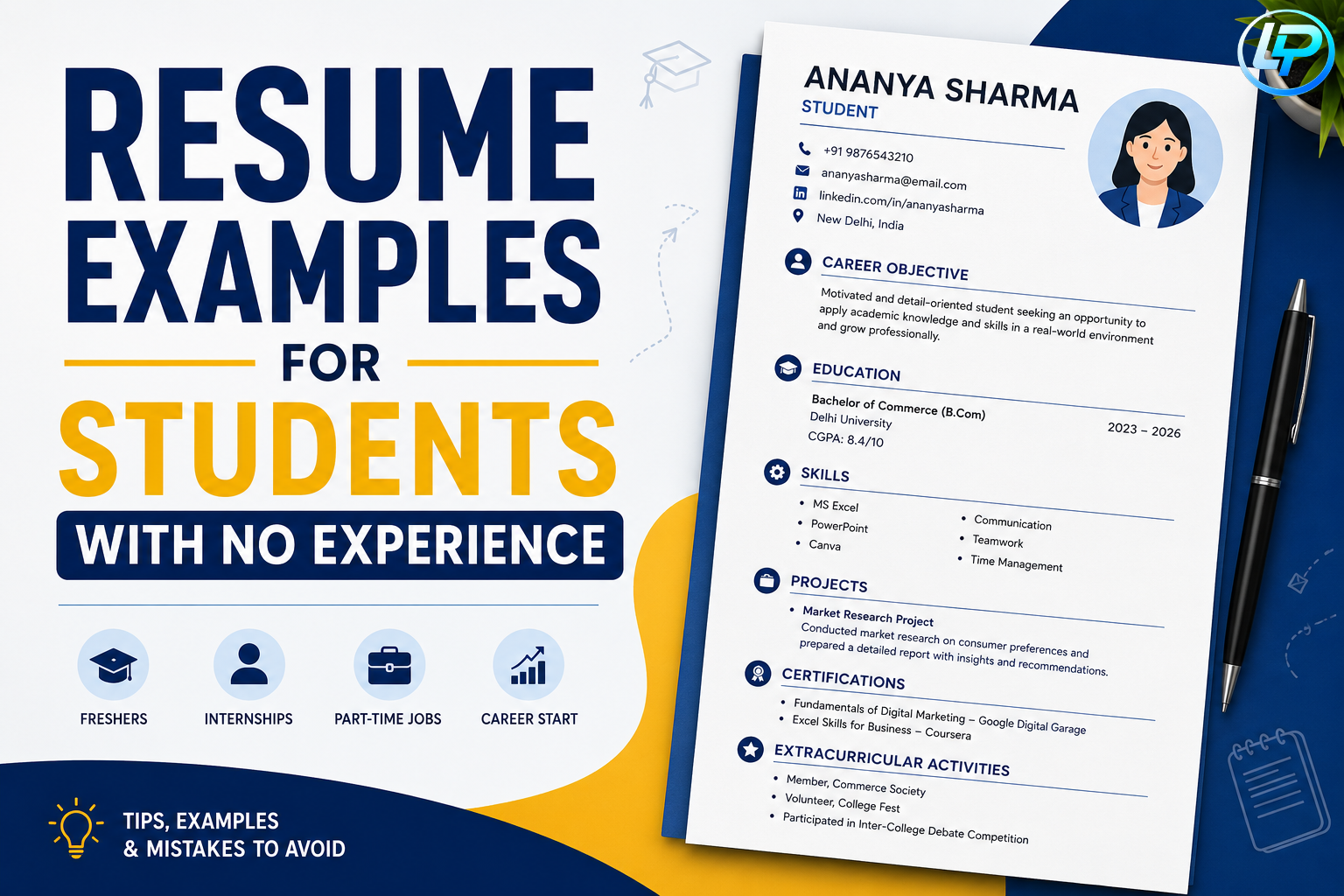
1. Freshers and Students
Fresh graduates usually have:
- Limited work experience
- Academic projects
- Certifications
- Internships
A one-page format is ideal for presenting these details professionally.
2. Professionals With Less Than 10 Years of Experience
Candidates with moderate experience can often fit relevant information onto one page without sacrificing quality.
3. Internship Applications
Internship recruiters usually prefer concise resumes focused on:
- Skills
- Education
- Projects
- Certifications
4. Entry-Level Job Applications
Entry-level roles typically require simple and direct resumes.
A clean format improves readability and ATS compatibility.
5. Career Changers
If you are switching industries, focus only on transferable skills and relevant experience.
This keeps your resume concise and targeted.
When You Should NOT Use a One Page Resume
Although one-page resumes work well in many situations, they are not always the best choice.
You may need multiple pages if:
- You have 10+ years of experience
- You hold senior leadership roles
- You work in research or academia
- You have multiple certifications and publications
- Your industry expects detailed resumes
In such cases, forcing everything onto one page can reduce readability.
How to Structure a One Page Resume
Understanding the one page resume format: when and how to use it correctly requires proper organization.
Here’s the ideal structure:
1. Contact Information
Add:
- Full Name
- Phone Number
- Professional Email Address
- LinkedIn Profile
- Location
Example:
Rahul Sharma
rahulsharma@email.com
Pune, Maharashtra
Avoid adding unnecessary personal details like religion or marital status.
2. Professional Summary
Write a short summary explaining your strengths.
Example:
Motivated and detail-oriented graduate with strong communication skills and internship experience seeking an opportunity to contribute in a growth-oriented organization.
Keep this section 2–3 lines only.
3. Skills Section
Highlight both technical and soft skills.
Technical Skills:
- MS Excel
- Canva
- HTML/CSS
- Data Analysis
- Google Workspace
Soft Skills:
- Communication
- Teamwork
- Problem-solving
- Leadership
This section helps recruiters quickly understand your strengths.
4. Education
Mention:
- Degree
- College Name
- Passing Year
- Percentage or CGPA
Example:
B.Com – XYZ College – 2026 – 78%
5. Internship or Work Experience
Use bullet points instead of long paragraphs.
Example:
Digital Marketing Intern – ABC Agency
- Assisted in social media campaigns
- Conducted market research
- Improved engagement by 20%
Focus on measurable achievements whenever possible.
6. Certifications
Examples:
- Digital Marketing Certification
- UI/UX Design Course
- Google Analytics Certification
- Advanced Excel Training
7. Projects or Achievements
This section is especially useful for freshers.
Example:
Developed a responsive e-commerce website using HTML and CSS during final-year coursework.
Projects demonstrate practical knowledge and initiative.
Best Formatting Tips for One Page Resumes
Good formatting improves both readability and ATS compatibility.
Use Professional Fonts
Recommended fonts:
- Arial
- Calibri
- Helvetica
- Times New Roman
Font Size:
- Headings: 14–16
- Body text: 11–12
Use Bullet Points
Bullet points improve readability and save space.
Recruiters prefer short and clear information.
Keep Margins Balanced
Use standard 1-inch margins or slightly smaller margins if necessary.
Avoid overcrowding content.
Use Clear Headings
Proper headings help ATS systems scan resumes more effectively.
Recommended Headings:
- Skills
- Education
- Experience
- Certifications
- Projects
Save as PDF
PDF format preserves formatting across devices.
At Lynxperio, resume experts recommend checking resumes on both desktop and mobile screens before sending applications.
How to Make a One Page Resume Stand Out
A short resume does not mean weak content.
Here’s how to make your resume more impactful.
Focus on Achievements
Instead of only listing responsibilities, mention results.
Weak Example:
Managed social media accounts.
Strong Example:
Increased Instagram engagement by 25% during internship campaigns.
Numbers make achievements more impressive.
Customize for Every Job
Tailor your resume according to:
- Job description
- Industry
- Required skills
- Company expectations
Customized resumes perform much better.
Use ATS Keywords Naturally
Include important keywords such as:
- Project management
- Customer service
- Communication skills
- Data analysis
- Team leadership
This improves ATS performance.
Keep Content Relevant
Remove:
- Irrelevant hobbies
- Outdated skills
- Unnecessary details
- Excessive personal information
Focus only on job-relevant content.
Common Mistakes to Avoid in One Page Resumes
Many candidates struggle to balance brevity and quality.
Here are common mistakes to avoid.
Using Tiny Fonts
Reducing font size excessively makes resumes hard to read.
Never sacrifice readability to fit everything on one page.
Adding Too Much Information
Avoid including every detail from your career history.
Prioritize relevant information.
Writing Long Paragraphs
Large blocks of text reduce readability.
Use bullet points and short sentences instead.
Using Fancy Designs
Complex graphics and heavy designs may confuse ATS systems.
Simple layouts work best.
Ignoring White Space
Proper spacing improves readability and professional appearance.
Forgetting Proofreading
Grammar and spelling mistakes can leave a negative impression.
Always review your resume carefully before applying.
At Lynxperio, candidates are encouraged to proofread resumes multiple times to ensure professionalism.
One Page Resume Example Structure
Here’s a simple layout you can follow:
Header
Name | Phone | Email | LinkedIn | Location
Professional Summary
2–3 line introduction
Skills
Technical and soft skills
Education
Degree details
Experience
Internships or work experience
Certifications
Relevant certifications
Projects/Achievements
Academic or professional achievements
This format works well for most industries and ATS systems..
FAQs About One Page Resume Format: When and How to Use It
Is a one-page resume better?
Yes. For freshers, students, and professionals with moderate experience, a one-page resume is often more effective because it is concise and easy to read.
Who should use a one-page resume?
Freshers, students, internship applicants, and professionals with less than 10 years of experience should usually use a one-page resume.
Is a one-page resume ATS-friendly?
Yes. A clean and organized one-page resume is usually ATS-friendly because it uses simple formatting and clear headings.
Can experienced professionals use a one-page resume?
Experienced professionals can use one-page resumes if they focus only on highly relevant achievements and skills.
What font is best for a one-page resume?
Professional fonts like Arial, Calibri, Helvetica, and Times New Roman work best.
Should I use graphics in a one-page resume?
Avoid excessive graphics because they can reduce ATS compatibility and readability.
Conclusion
Understanding the one page resume format: when and how to use it can help job seekers create professional, concise, and ATS-friendly resumes that attract recruiters quickly. In today’s competitive hiring environment, clarity and relevance matter more than lengthy content.
A strong one-page resume focuses on achievements, relevant skills, clean formatting, and professional presentation. Whether you are a fresher, student, or working professional, a concise resume can improve your chances of getting shortlisted and landing interviews.
Remember, recruiters value readability and relevance more than flashy designs or unnecessary details.
If you want expert help with resume building, ATS optimization, interview preparation, and career growth, explore Lynxperio today. Lynxperio helps students, freshers, and professionals build stronger careers with practical resume solutions and career-focused guidance.